


The HYDRIM C61W/WD G4 dental washer disinfector from SciCan is a high-performance washer-disinfector designed to streamline and optimise instrument reprocessing. With a capacity of six full-size cassettes and the ability to clean and dry 120 instruments in just 40 minutes, this efficient system saves time and ensures consistent, validated cleaning cycles.
Videos

Fast Track allows dental practices to acquire dental equipment quickly, with delivery possible within one week.
Say goodbye to long waiting times and say hello to a hassle-free experience.

Get quality dental equipment fast with FastTrack
Fast Track allows dental practices to acquire dental equipment quickly, with delivery possible within one week.
Say goodbye to long waiting times and say hello to a hassle-free experience.
Get quality dental equipment fast with FastTrack
Fast Track allows dental practices to acquire dental equipment quickly, with delivery possible within one week.
Say goodbye to long waiting times and say hello to a hassle-free experience.
If you're about to invest in dental equipment, you could be able to combine your costs and benefit from Advance.
Eligible customers will receive a rebate based on their merchandise and clear aligner spend, which can help cover the cost of your equipment.
Henry Schein Advance
If you're about to invest in dental equipment, you could be able to combine your costs and benefit from Advance.
Eligible customers will receive a rebate based on their merchandise and clear aligner spend, which can help cover the cost of your equipment.
Henry Schein Advance
If you're about to invest in dental equipment, you could be able to combine your costs and benefit from Advance.
Eligible customers will receive a rebate based on their merchandise and clear aligner spend, which can help cover the cost of your equipment.
Manuals/Docs

Hydrim-C61-Brochure

Hydrim-C61-Washer-User-Manual
Recommissioning-a-SciCan-HYDRIM-C61wd
Recommissioning-Mains-Water

Enquire Now
Ready to buy new equipment? Speak with our equipment specialist today.Introduction


Detailed below is a list of errors which may occur. Click on an error to see the possible cause and what action should be taken.
If you do not find the error below or the action you take does not solve the problem, please contact our support team on 08700 10 20 46. In order to help you, have the serial number of your autoclave and a detailed description of the fault report ready.
Instruments are not clean
Possible Cause
Overloaded cassettes or instrument baskets.
Too many cassettes loaded into the unit.
Action
Use the heavy duty cycle for cassettes and hinged instruments.
Check filters and wash arms for debris.
Increase wash times.
The wash times for P3 and P4 can be set independently. Touch the cycle for which you want to set the wash time. Use the up and down arrows to select the desired wash time. Touch “default” if you wish to return to the factory default. Use the back arrow to return to the previous screen.
Touchscreen / Unit does not come on
Action
Ensure that the power button is turned ON.
Ensure that the plug is properly inserted into the wall socket.
Check if a fuse or circuit is blown – call our service team on 0800 028 4749 for assistance.
Fuses should not be replaced by the operator. Call our service team on 0800 028 4749. For continued protection against the risk of fire, replace only with 15A, 250V type F fuses.
The wash arms do not rotate
Action
Remove the wash arms, clean and reinstall them.
Check for obstructions in chamber.
The door cannot be opened
Possible Cause
The cycle is not complete.
The cycle was aborted and the unit has not completed draining yet.
Action
Allow the cycle to complete.
Operating cycles appear to be taking too long to complete
Possible Cause
The water is not hot enough.
Action
Check that the incoming hot water temperature is in the recommended range.
Check that the hot and cold hoses are not reversed.
No detergent message comes on but there is still a lot of chemical left in the container
Action
Check for a kink in chemical tubing.
Check cap for seal.
Reinstall chemical solution by following the steps below:
Replacing the HIP™ Ultra cleaning solution
Only replace the cleaning solution with HIP™ Ultra cleaning solution, which is used in dilute form as a detergent for the cleaning of surgical instruments in the HYDRIM washer-disinfector.
It is a colourless and almost odourless liquid that is completely soluble in water. Some precautions must be taken to safely handle this chemical. For more information, see section 3.2 Handling and Installing the HIP™ Ultra cleaning solution of the Hydrim C61 Washer User Manual.
To avoid spillage, replace the solution container only when the message appears and be sure to wear gloves.
When a red X appears on the water softener/detergent icon
Press on the icon to determine if the problem is with the water softener or cleaning solution level. If the cleaning solution must be replaced, a red X will appear next to it.
To replace the cleaning solution, follow these steps:
- Turn the power OFF, open the door and pull out the chemical drawer.
- Disconnect the cleaning solution connector.
- Remove the empty cleaning solution bag and discard or recycle it.
- Place a new bag in the chemical drawer.
- Ensure the nozzle is in the correct position.
- Connect the new bag, close the door and power ON the unit.
To prime the cleaning solution dosing pump, press the water softener/detergent icon on the main screen. In the water softener/detergent screen, press the red X next to “Detergent”. The unit will prime the dosing system and a green check mark will appear in place of the red X when it is ready for use.
The system can also be primed by simply starting a cycle and selecting “Detergent Replaced” when prompted.
Drying performance is inadequate
Action
Increase the drying time.
The drying times for P2, P3 and P4 can be set independently. Touch the cycle for which you want to set the drying time. Use the up and down arrows to select the desired drying time. Touch “default” if you wish to return to the factory default. Use the back arrow to return to the previous screen.
Change the HEPA filter by following the steps below:
- Turn the power off.
- Pull open the ventilation panel below the front door of the unit.
- Make note of the direction of the arrow and remove the old filter by pulling it from the centre.
- Install the new air filter – placing the arrow in the correct orientation – and close the ventilation panel.
- After replacing the filter, go to the “Reset Drying Counter” screen in the Setup menu and reset the drying counter to zero.
To reset the drying counter:
- Scroll to Reset Drying Counter and select.
- Select Default 0 to reset.
The filter must be replaced every 750 drying cycles. The unit will continue to run if the filter is not replaced, but you will notice less than optimal drying performance.
"Preventative Maintenance Required. Call for Service" message appears
Action
The annual maintenance should be carried out after 365 days have elapsed since the initial installation or the last service call. Call our service team on 0800 028 4749 to book an appointment.
"Replace Air Filter" message appears
Action
Replace HEPA Air Filter by following the steps below:
- Turn the power off.
- Pull open the ventilation panel below the front door of the unit.
- Make note of the direction of the arrow and remove the old filter by pulling it from the centre.
- Install the new air filter – placing the arrow in the correct orientation – and close the ventilation panel.
- After replacing the filter, go to the “Reset Drying Counter” screen in the Setup menu and reset the drying counter to zero.
To reset the drying counter:
- Scroll to Reset Drying Counter and select.
- Select Default 0 to reset.
The filter must be replaced every 750 drying cycles. The unit will continue to run if the filter is not replaced, but you will notice less than optimal drying performance.
"Replace LCS Filter" message appears
Action
Replace Biological Filter by following the steps below:
- Power the unit OFF and disconnect tube A from the bacteriological filter and remove the filter from the filter bracket.
- Note the orientation of the arrow mark on the filter before removing. When the filter is free of the bracket, carefully disconnect tube B from the back of the filter.
- Before installing the replacement bacteriological filter check that the arrow mark on the filter matches the direction of the arrow on the bracket. Push the right hand filter fitting into tube B.
- Gently press the replacement filter into the filter bracket. The arrow mark of the filter should be facing out and pointing to the right.
- Re-connect tube A to the left hand filter fitting.
If filter has been replaced and the message continues to appear, reset LCS counter.
To reset the LCS counter:
- Scroll to Reset LCS Counter and select.
- Select Default 0 to reset.
"Air Filter Missing. Install Filter" message appears
Action
Check HEPA filter to ensure it is installed correctly (with arrow in correct position).
Lost USB storage device with all cycle data
Action
If you need to copy all of the unit’s cycle data to a new USB storage device:
- Insert the new USB device.
- Select the USB icon.
- Select cycle information.
- From the cycle information screen, select the USB icon at top right.
- Select copy and all of the unit’s cycle history will be copied to the new device.
No internet connection
Action
Select the connectivity icon to go to the connection status screen.
- If a red X appears next to IP: You do not have a network connection. Contact your network administrator.
- If a red X appears next to Internet: You do not have an Internet connection. Contact your internet provider.
How often should you perform the protein residue test?
HTM states that this must be done on a weekly basis, however always consult the manufacturer as they may request different requirements. In regards to the Scican C61 this should be done monthly.
How often should you perform the cleaning efficacy test?
HTM states that this must be done on a quarterly basis, however always consult the manufacturer as they may request different requirements. In regards to the Scican C61 this should be done monthly.
How long should your detergents last before they need to be changed?
In respect of the Scican C61 the HIP solution should last approximately 18 cycles, depending on water quality. Your unit will inform you when these need changing.
How often should you download the data from the data logger?
This will be down to your individual needs. Your data logger will hold more than 7 year’s worth of data so a constant back up is achieved. It is good practice to try and download the data on a weekly basis so that the practice has a back up on a central PC for inspection purposes.
Replacing the HIP™ Ultra cleaning solution
Only replace the cleaning solution with HIP™ Ultra cleaning solution, which is used in dilute form as a detergent for the cleaning of surgical instruments in the HYDRIM washer-disinfector.
It is a colourless and almost odourless liquid that is completely soluble in water. Some precautions must be taken to safely handle this chemical. For more information, see section 3.2 Handling and Installing the HIP™ Ultra cleaning solution of the Hydrim C61 Washer User Manual.
To avoid spillage, replace the solution container only when the message appears and be sure to wear gloves.
When a red X appears on the water softener/detergent icon
Press on the icon to determine if the problem is with the water softener or cleaning solution level. If the cleaning solution must be replaced, a red X will appear next to it.
To replace the cleaning solution, follow these steps:
- Turn the power OFF, open the door and pull out the chemical drawer.
- Disconnect the cleaning solution connector.
- Remove the empty cleaning solution bag and discard or recycle it.
- Place a new bag in the chemical drawer.
- Ensure the nozzle is in the correct position.
- Connect the new bag, close the door and power ON the unit.
To prime the cleaning solution dosing pump, press the water softener/detergent icon on the main screen. In the water softener/detergent screen, press the red X next to “Detergent”. The unit will prime the dosing system and a green check mark will appear in place of the red X when it is ready for use.
The system can also be primed by simply starting a cycle and selecting “Detergent Replaced” when prompted.
Refilling the water softening salt reservoir
When a red X appears on the detergent and water softener level indicator, press on the icon to determine if the problem lies with the water softener or cleaning solution level. If the water softener must be refilled, follow these steps:
- Open the salt container lid.
- Fill the salt container to the top, using the funnel supplied, to a maximum of 0.5 kg.
- Close the salt container lid, ensuring a tight seal. An improper seal can lead to corrosion.
- Run a complete cycle, with no instruments.
Changing the air filter and bacteriological filter (if fitted)
Air filter
When the message “Replace air filter” appears, the HEPA filter is in need of changing.
- Turn the power off.
- Pull open the ventilation panel below the front door of the unit.
- Make note of the direction of the arrow and remove the old filter by pulling it from the centre.
- Install the new air filter – placing the arrow in the correct orientation – and close the ventilation panel.
- After replacing the filter, go to the “Reset Drying Counter” screen in the Setup menu and reset the drying counter to zero.
To reset the drying counter:
- Scroll to Reset Drying Counter and select.
- Select Default 0 to reset.
The filter must be replaced every 750 drying cycles. The unit will continue to run if the filter is not replaced, but you will notice less than optimal drying performance.
Bacteriological filter
Models fitted with a lumens cleaning system (LCS) have a biological filter that must be replaced every 500 cycles or if dirty. To change the biological filter, follow these steps:
- Power the unit OFF and disconnect tube A from the bacteriological filter and remove the filter from the filter bracket.
- Note the orientation of the arrow mark on the filter before removing. When the filter is free of the bracket, carefully disconnect tube B from the back of the filter.
- Before installing the replacement bacteriological filter check that the arrow mark on the filter matches the direction of the arrow on the bracket. Push the right hand filter fitting into tube B.
- Gently press the replacement filter into the filter bracket. The arrow mark of the filter should be facing out and pointing to the right.
- Re-connect tube A to the left hand filter fitting.
Filter and wash arm maintenance
Filter maintenance
Inspect the coarse and fine filters in the bottom of the chamber daily for debris and clean if necessary. To clean, remove the filter (turn the metal nut at the centre front of the filter to release it), rinse under a tap and reassemble. Ensure that the filter is firmly locked into position when replaced.
Wash arm maintenance
If you see that the wash arms are not turning easily, remove the arm(s) as needed – excessive removal of wash arms can reduce service life. Both the upper and lower arms are pressure mounted. To remove the upper arm, pull down and to remove the lower arm, pull up. Rinse under a tap, clear obstructions from outlet holes and reassemble.
Cleaning the unit
To clean outer surfaces and the decal covering the touchscreen, use a soft cloth moistened with soap and water or a surface disinfectant. Do not use harsh cleaning chemicals. To clean the chamber, use the “Cleaning” function available in the user menu with 0.5 L of vinegar or citric acid in the chamber.
Every 25 cycles, the user will be reminded to run a chamber cleaning cycle. Press OK to continue the selected wash cycle but remember to run a chamber cleaning cycle at the next available opportunity.
Preparing the unit for shipping
If preparing the unit for transport or storage, waste water should be removed from the sump. Waste water in the unit may contain biological contaminants.
- From the Setup menu, select the Prepare for Shipping function. The unit will pump all the waste water from the sump. If a small amount remains, soak it up with absorbent material. Wear disposable rubber gloves. Dispose of absorbent material according to biological waste disposal regulations.
- If the unit is without power, use the drain tube located under the front of the unit in the middle to drain the water from the chamber and system. Then unlock the door using the door lever.
- Locate the lever on the top edge of the door, slide it to the right and pull the door open. Exercise caution! There may be fluid remaining in the unit and the instruments may be hot. If the cycle was interrupted, instruments should not be used and should be reprocessed.
- Remove the coarse filter and fine filter and use absorbent material to soak up any water remaining in the sump.
Annual maintenance
If the message “Preventative Maintenance Required. Call for Service” appears, the annual maintenance is required. To continue using the HYDRIM, press OK. Call our servicing team on 0800 028 4749 as soon as possible. The annual maintenance should be done after 365 days have elapsed since the initial installation or since the last service call was performed.
Unit testing and validation
The following outlines the recommended regular maintenance to be performed by the user and technicians for the HYDRIM C61wd G4 washer-disinfector.
To ensure the unit's ongoing cleaning efficacy, SciCan recommends observing the following periodic testing protocols.
This outlines the minimum requirements to ensure that the equipment performs to specification. In some regions, local/national guidance documents may require additional testing. Please contact our Decontamination Specialists or your local authority for details.
Installation, commissioning, annual servicing must be undertaken by one of our technicians. Failure to maintain this equipment may invalidate the results of the following testing regime.
The recommended periodic testing protocols are listed in the table below:
Tests to be performed by the user:
Door lock check
This test is to ensure that the door cannot be opened while a cycle is running or a cycle will not start with the door open. To check that these features are working correctly, attempt to open the door using the handle immediately after a cycle has started.
Caution – DO NOT attempt this when the wash arms are rotating and/or the water is above ambient temperature.
The door should not open. When you attempt to start a cycle with the door open, the cycle should not start. If the unit fails this test, stop using it immediately and call our service team on 0800 028 4749.
Door seal check
Visually check the door seal for debris or wear. If the seal is worn or damaged, call our service team on 0800 028 4749.
Load carrier check
Visually check load carriers (trolleys) for wear and tear, damage and that the runners move freely over their full range.
Chamber filter check
Remove, visually check and clean as described above.
Load check
Visually inspect each load for residual soil. Washers are designed to ensure that the surfaces of instruments are free from debris that may compromise the sterilisation process. A visual check of the instruments processed in each load should be undertaken prior to sterilisation to ensure that no residual debris is present on the instrument.
If debris is still apparent, the instrument should not be considered clean and should be reprocessed through the HYDRIM again prior to sterilisation.
Some setable materials such as cements and composites, if set on the instrument will not be removed in a HYDRIM. If these materials are noticed on the instrument then abrasive removal may be required.
Share


Services and Solutions
;)
Fast Track Service
Fast Track allows dental practices to acquire high-quality dental equipment quickly, without having to wait for long periods.

;)
Increasing your practice value
By investing in latest technologies, updating your equipment, and increasing your availability with a new surgery room, you can attract new patients, improve the quality of care you offer, and differentiate your practice from competitors.
;)
;)
Henry Schein Financial Services
A vast range of financial products and services that are offered through our finance partners nationally
;)
SunSchein Clearance
SunSchein offers a wide range of ex-showroom and ex-demonstration dental equipment, including treatment centres, laboratory equipment, and digital dentistry equipment.
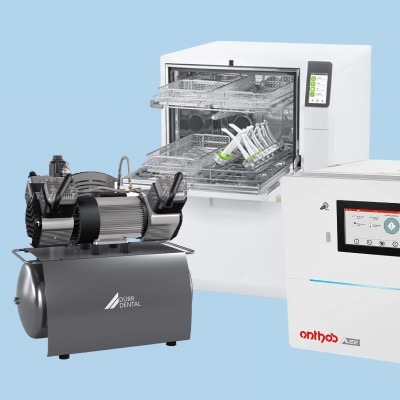;)
Dental Equipment
Uncover everything you need for your dental practice, from essential dental equipment to cutting-edge solutions.